> For the complete documentation index, see [llms.txt](https://developers.make.com/llms.txt). Markdown versions of documentation pages are available by appending `.md` to page URLs; this page is available as [Markdown](https://developers.make.com/custom-apps-documentation/app-components/modules/universal-module/rest.md).
# REST
## **Naming Convention**
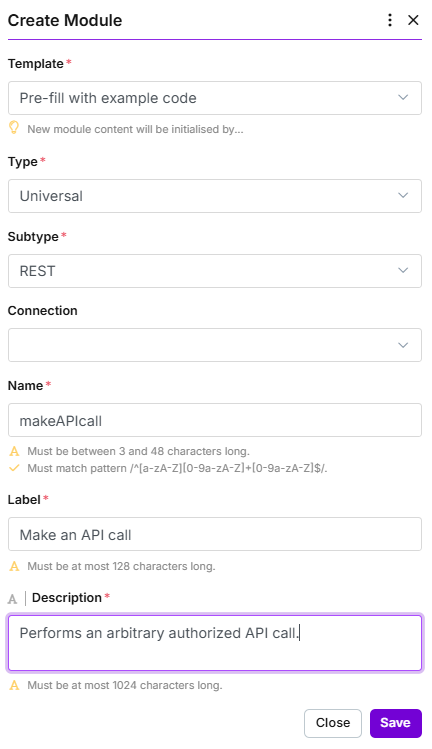
All REST universal modules should have the following module label and description:
* **Module label**: Make an API call
* **Module description**: Performs an arbitrary authorized API call.
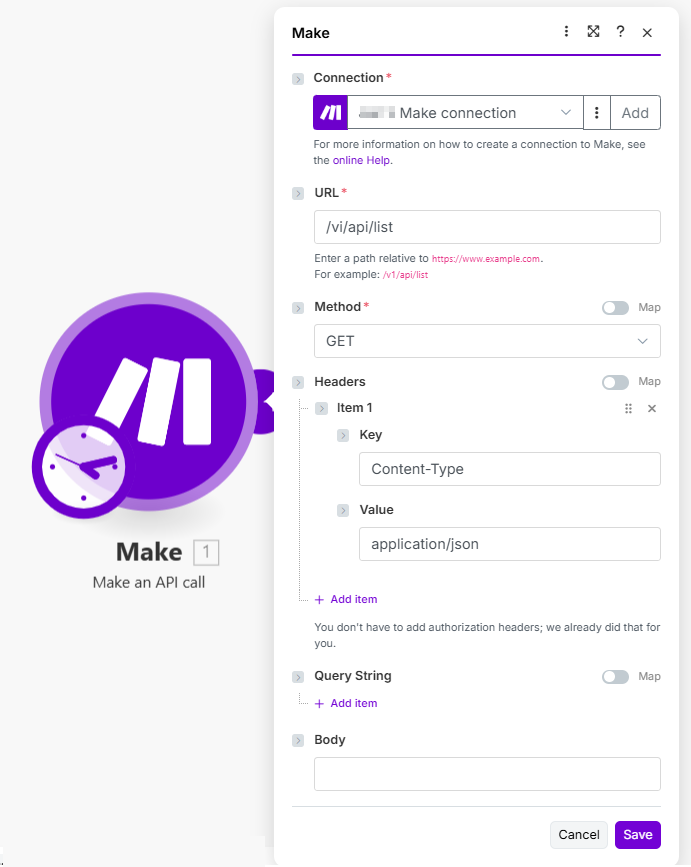
## URL parameter
Expected input from users should start with `/` (for example `/tasks`) so users can copy-paste the endpoint path from the service documentation.
If the API has multiple versions of API available, the user should be allowed to use any of them. The URL set in the universal module should end before the version.
Set the correct URL in `help` and add a working endpoint example.
{% tabs %}
{% tab title="Good practice" %}
**Communication**
```json
{
"url": "https://www.example.com/{{parameters.url}}"
}
```
**Mappable parameters**
```json
{
"name": "url",
"type": "text",
"label": "URL",
"help": "Enter a path relative to `https://www.example.com`. For example: `/v1/something`",
"required": true
}
```
{% hint style="info" %}
Even when the URL in Communication ends with `/` before {{parameters.url}}, we ask users to use `/` in the URL because it is automatically removed.
{% endhint %}
{% endtab %}
{% tab title="Bad practice" %}
**Communication**
```json
{
"url": "https://www.example.com/v1/{{parameters.url}}"
}
```
**Mappable parameters**
```json
{
"name": "url",
"type": "text",
"label": "URL",
"help": "Enter a path relative to `https://www.example.com/v1/`. For example: `something`",
"required": true
}
```
{% hint style="warning" %}
The "url" in the Communication has the API version in it.
The `help` has a misleading example, as the base URL should end without a slash and version, and the example should start with a slash and version.
{% endhint %}
{% endtab %}
{% endtabs %}
## Rest universal module example
{% tabs %}
{% tab title="Appearance" %}
{% endtab %}
{% tab title="Code" %}
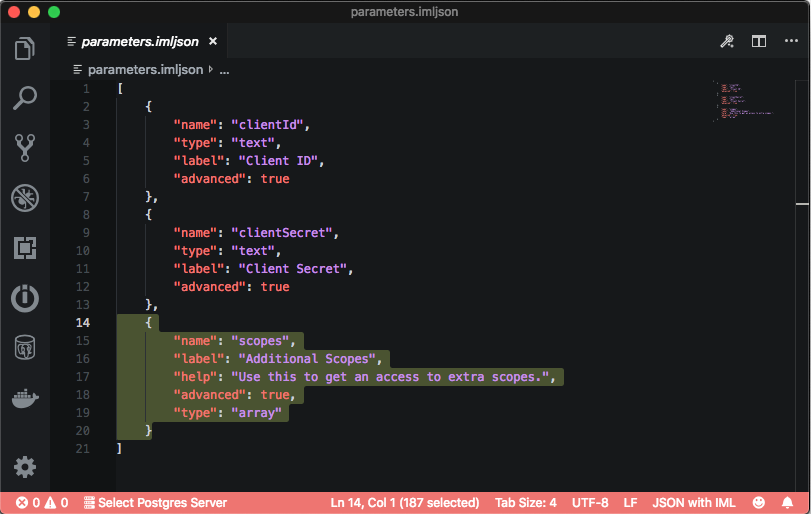
```json
[
{
"name": "clientId",
"type": "text",
"label": "Client ID",
"advanced": true
},
{
"name": "clientSecret",
"type": "text",
"label": "Client Secret",
"advanced": true
},
{
"name": "scopes",
"label": "Additional Scopes",
"type": "array",
"help": "Use this to get an access to extra scopes.",
"advanced": true
}
]
```
{% endtab %}
{% endtabs %}
{% endstep %}
{% step %}
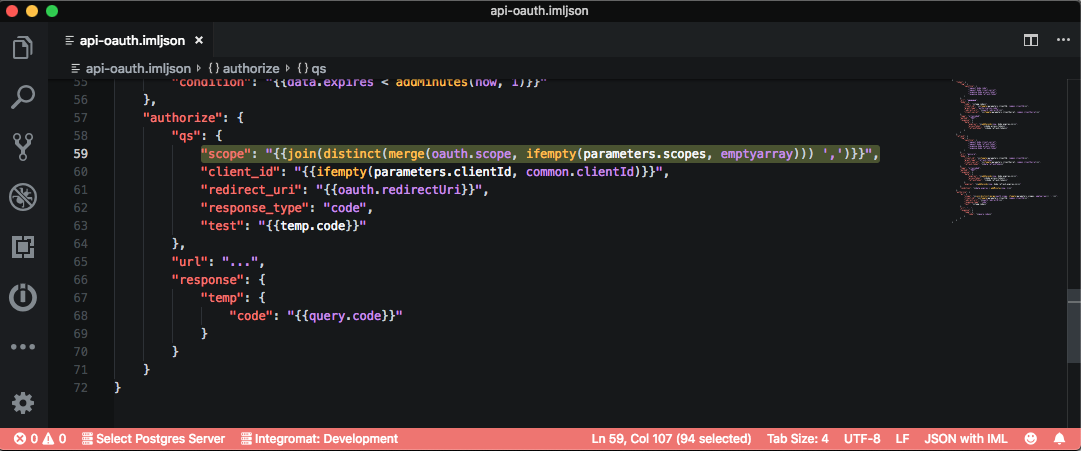
In the `authorize` part of the connection, merge the original scopes with additional scopes added by the parameter from the previous step.
{% tabs %}
{% tab title="Preview" %}
Scope parameter in authorization
{% endtab %}
{% tab title="Code" %}
```json
"authorize": {
"qs": {
"scope": "{{join(distinct(merge(oauth.scope, ifempty(parameters.scopes, emptyarray))), ',')}}",
"client_id": "{{common.clientId}}",
"redirect_uri": "{{oauth.redirectUri}}",
"response_type": "code"
},
"url": "...",
"response": {
"temp": {
"code": "{{query.code}}"
}
}
}
```
{% endtab %}
{% endtabs %}
{% endstep %}
{% endstepper %}
Now a user can add additional scopes manually when creating a connection and these scopes will work with the universal module.
For an example of the connection form with additional scopes and the recommended texts, see the best practices for [additional OAuth scopes](/custom-apps-documentation/best-practices/connections/additional-oauth-scopes.md).
---
# Agent Instructions
This documentation is published with GitBook. GitBook is the documentation platform designed so that both humans and AI agents can read, navigate, and reason over technical content effectively. Learn more at gitbook.com.
## Querying This Documentation
If you need additional information that is not directly available in this page, you can query the documentation by asking a question.
Perform an HTTP GET request on the following URL with the `ask` and `goal` query parameters:
```
GET https://developers.make.com/custom-apps-documentation/app-components/modules/universal-module/rest.md?ask=&goal=
```
`ask` is the immediate question: it should be specific, self-contained, and written in natural language.
`goal` is what the user is ultimately trying to achieve, the reason they need the answer. Sharing it helps GitBook give you a better, more relevant answer. A goal is most helpful when it describes the outcome the user wants rather than restating the question. For example, with `ask=how do I create an API token`, a goal like `automate deployments from our CI pipeline` lets GitBook tailor the answer to that use case.
The response will contain a direct answer to the question and relevant excerpts and sources from the documentation.
Use this mechanism when the answer is not explicitly present in the current page, you need clarification or additional context, or you want to retrieve related documentation sections.